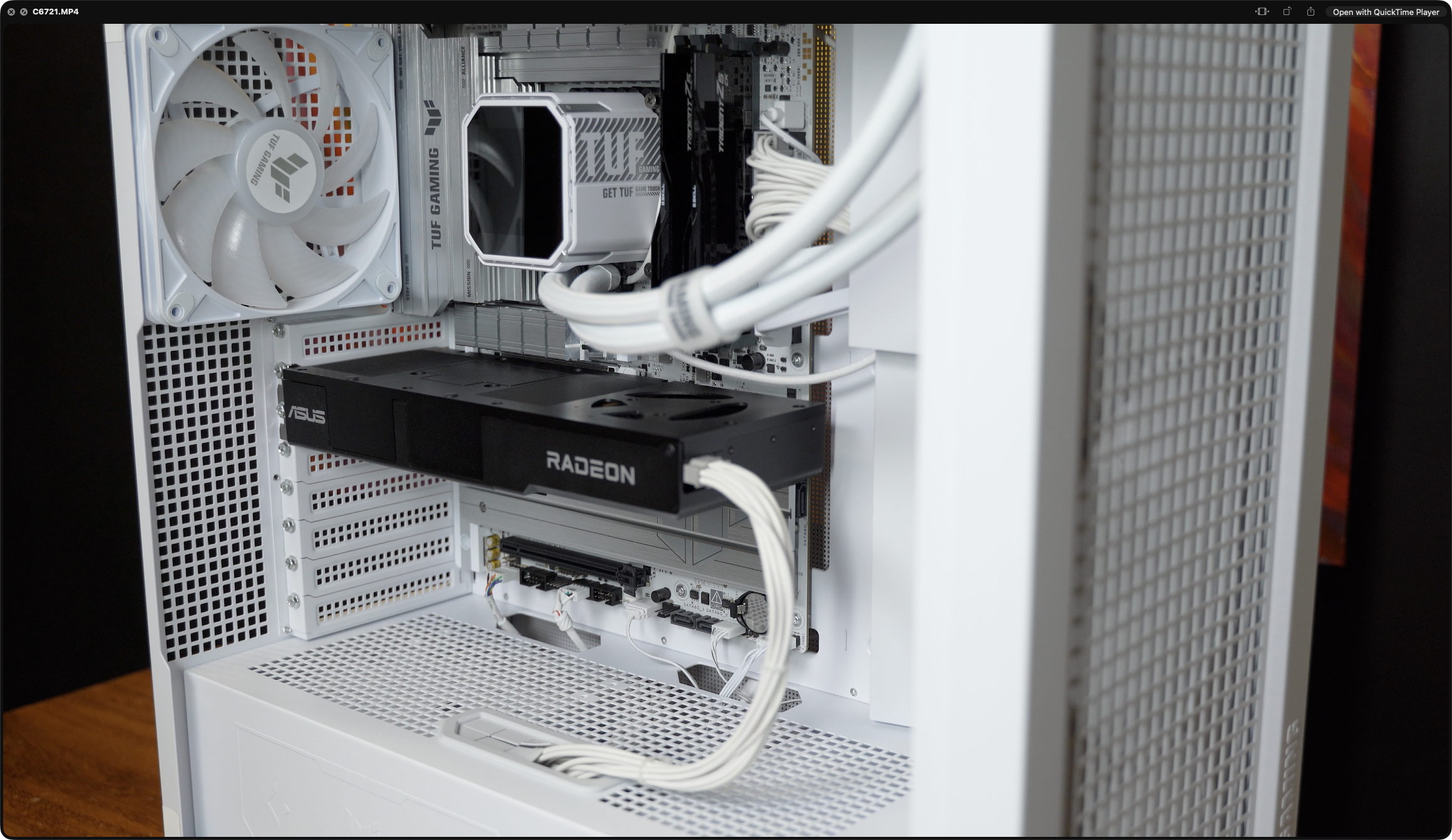
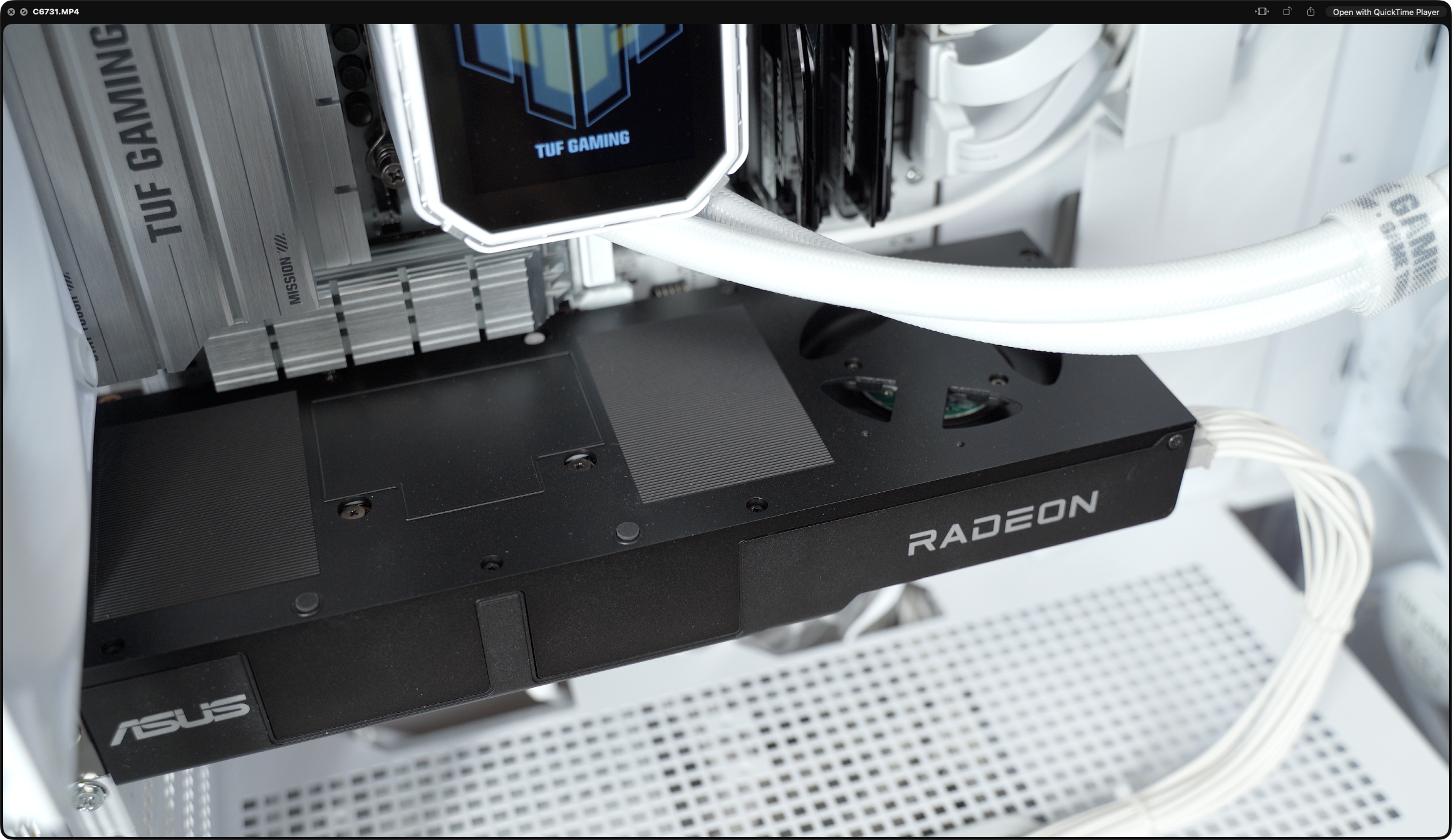
ASUS · AMD RDNA 4 · Navi 48 XTW · gfx1201 · 32 GB GDDR6 · ROCm 7.2 · Full Review & Benchmark · April 2026 · Pendakwah.tech
ASUS TURBO
RADEON AI PRO
R9700 32GB
A prosumer AI card that finally makes ROCm feel first-class — 32 GB of VRAM, RDNA 4 muscle, and real fine-tuning parity with NVIDIA's flagship. As a pure local-AI workstation GPU the R9700 is outstanding. As a general-purpose GPU it still has rough edges, and Windows is still the weak platform.
View on ASUS
→
01 — Hardware Specifications
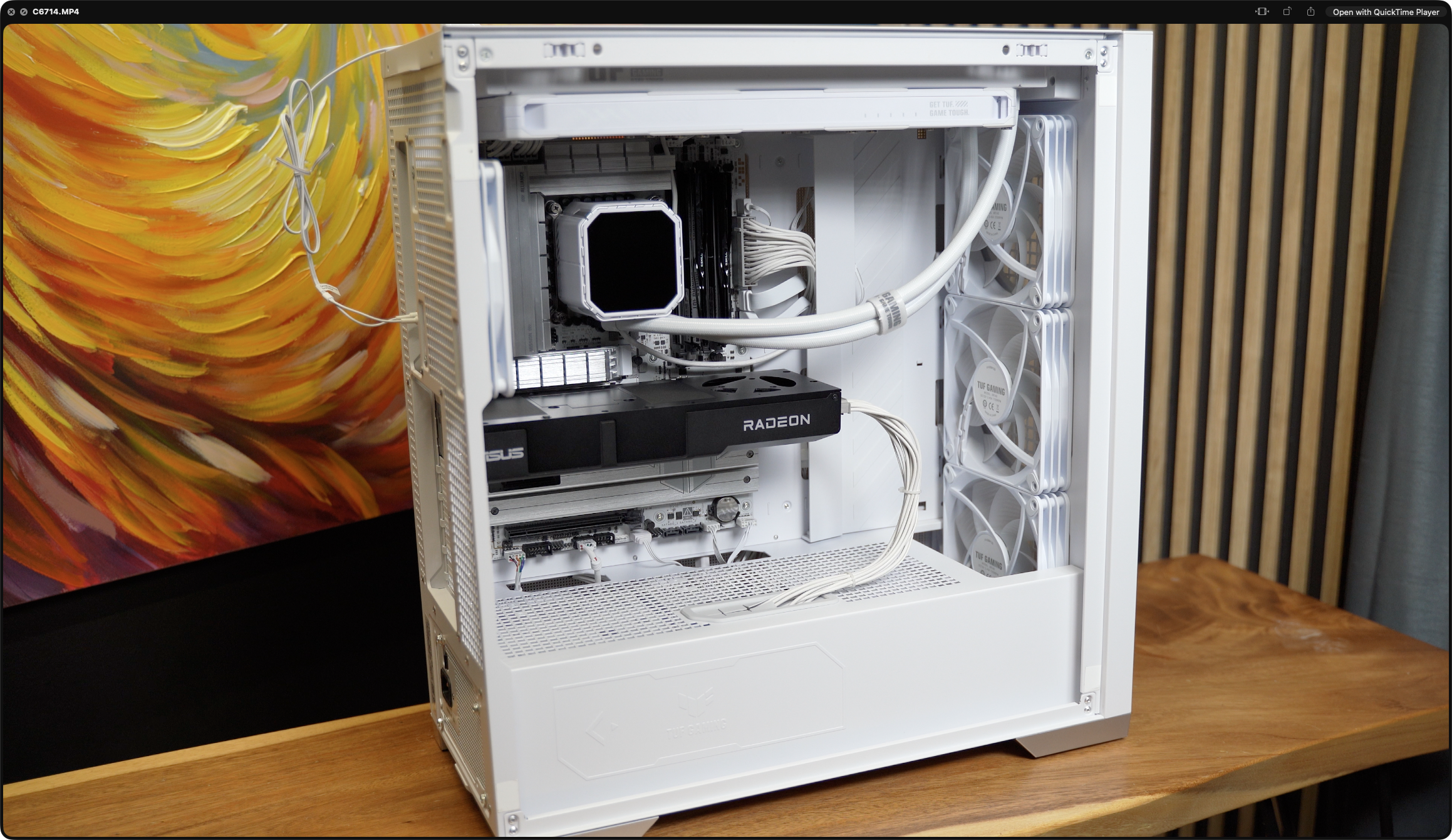
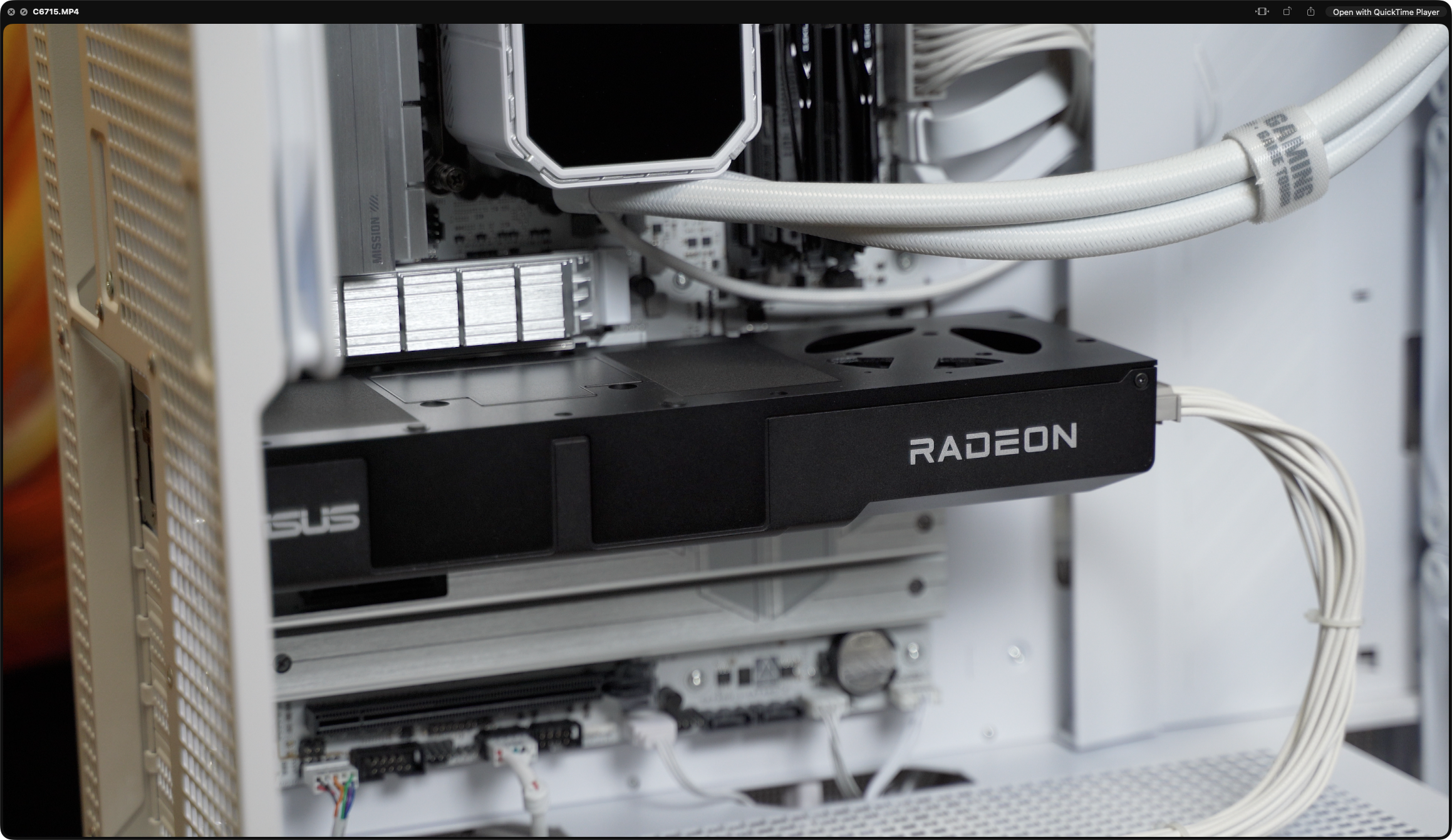
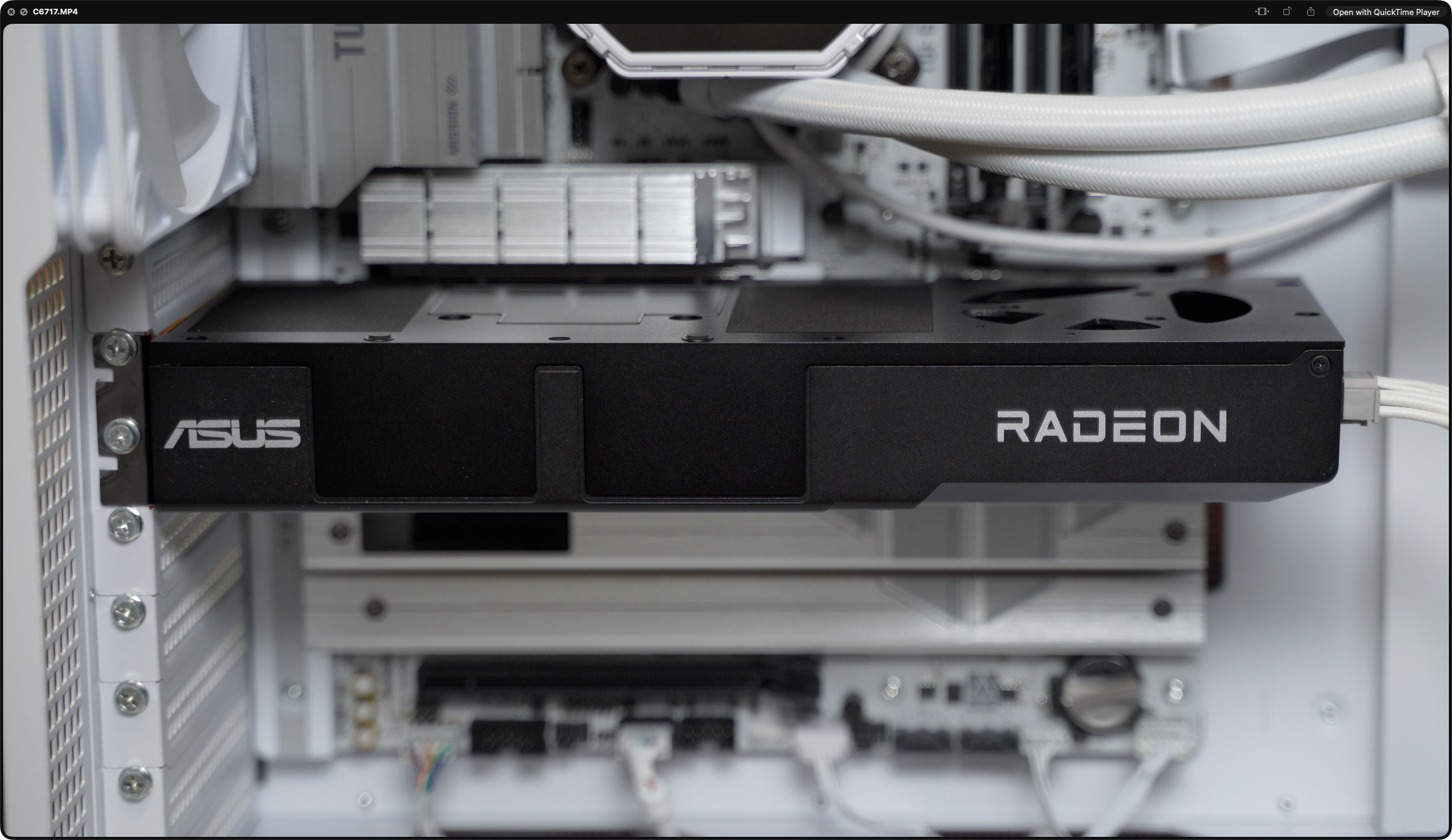
The ASUS Turbo Radeon AI PRO R9700 is built on the full Navi 48 XTW die — the same silicon as the RX 9070 XT gaming card, but with twice the memory. What makes it "AI PRO" is the 32 GB GDDR6 frame buffer, 128 second-generation AI accelerators, and first-class gfx1201 ROCm support. This is a card built specifically for local LLM inference, fine-tuning and video generation — not a gaming card with a PRO badge slapped on.
GPU & Compute
GPUAMD Radeon AI PRO R9700
ArchitectureRDNA 4 · gfx1201
DieNavi 48 XTW · TSMC N4P
Transistors53.9 B · 357 mm²
Compute Units64 CU · 4,096 SP
AI Accelerators128 (2nd gen)
Ray Accelerators64
Game Clock2,350 MHz
Boost Clockup to 2,920 MHz
Measured Boost2,230–2,806 MHz
FP32 Peak47.8 TFLOPS
FP16 Peak95.7 TFLOPS
INT8 / INT4766 / 1,531 TOPS
Memory & I/O
VRAM32 GB GDDR6
Memory Bus256-bit
Memory Clock2,518 MHz
Effective Speed20.14 Gbps
Bandwidth644 GB/s
Infinity Cache64 MB
PCIePCIe 5.0 ×16 (32 GT/s)
TBP300 W
Power Connector12V-2×6 (16-pin)
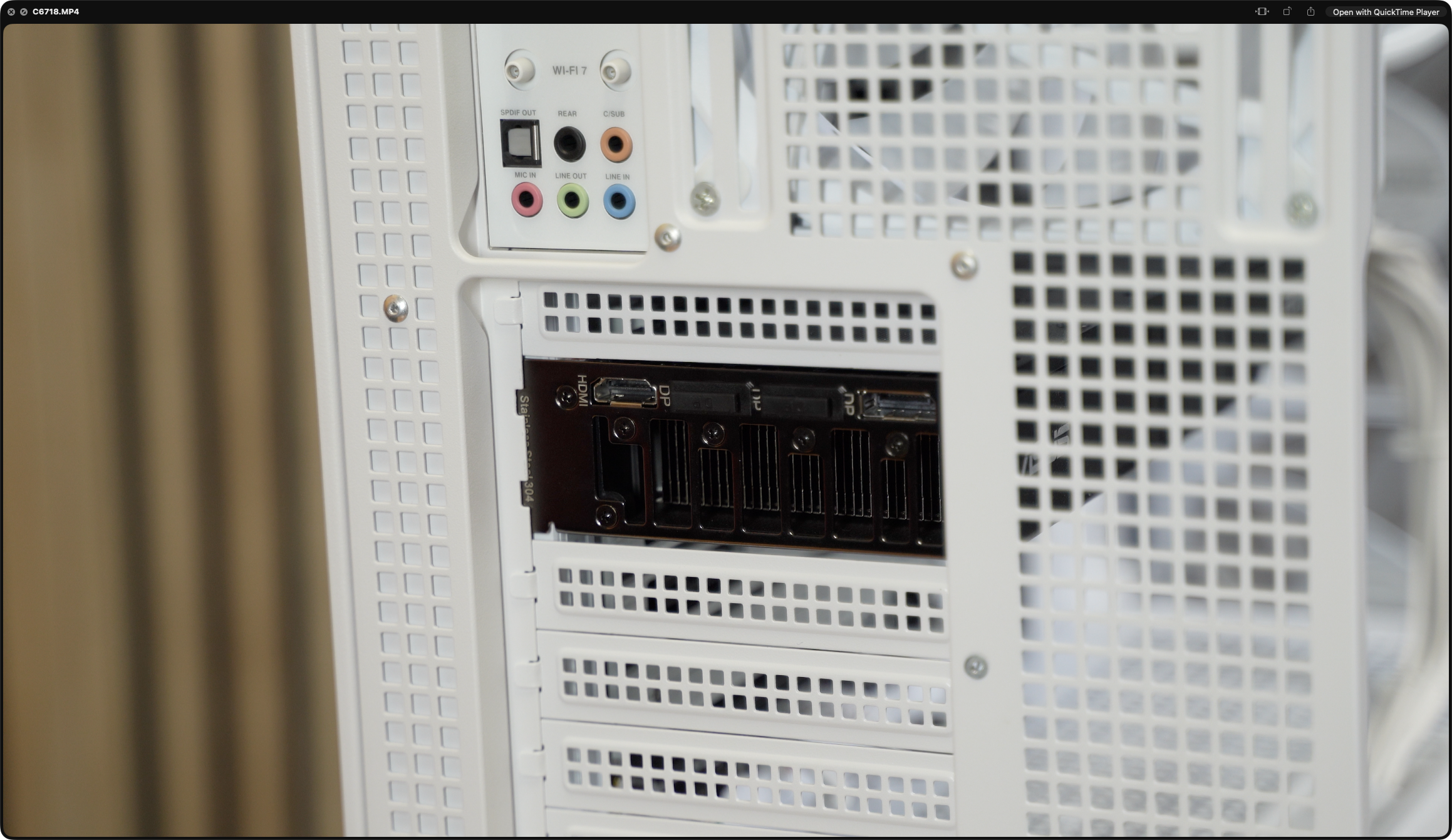
Displays1× HDMI 2.1b · 3× DP 2.1a
Max Resolution7680 × 4320
BIOS115-G287BP00-100 · 023.008
Form FactorDual-slot blower (TURBO)
Test Bench & Software
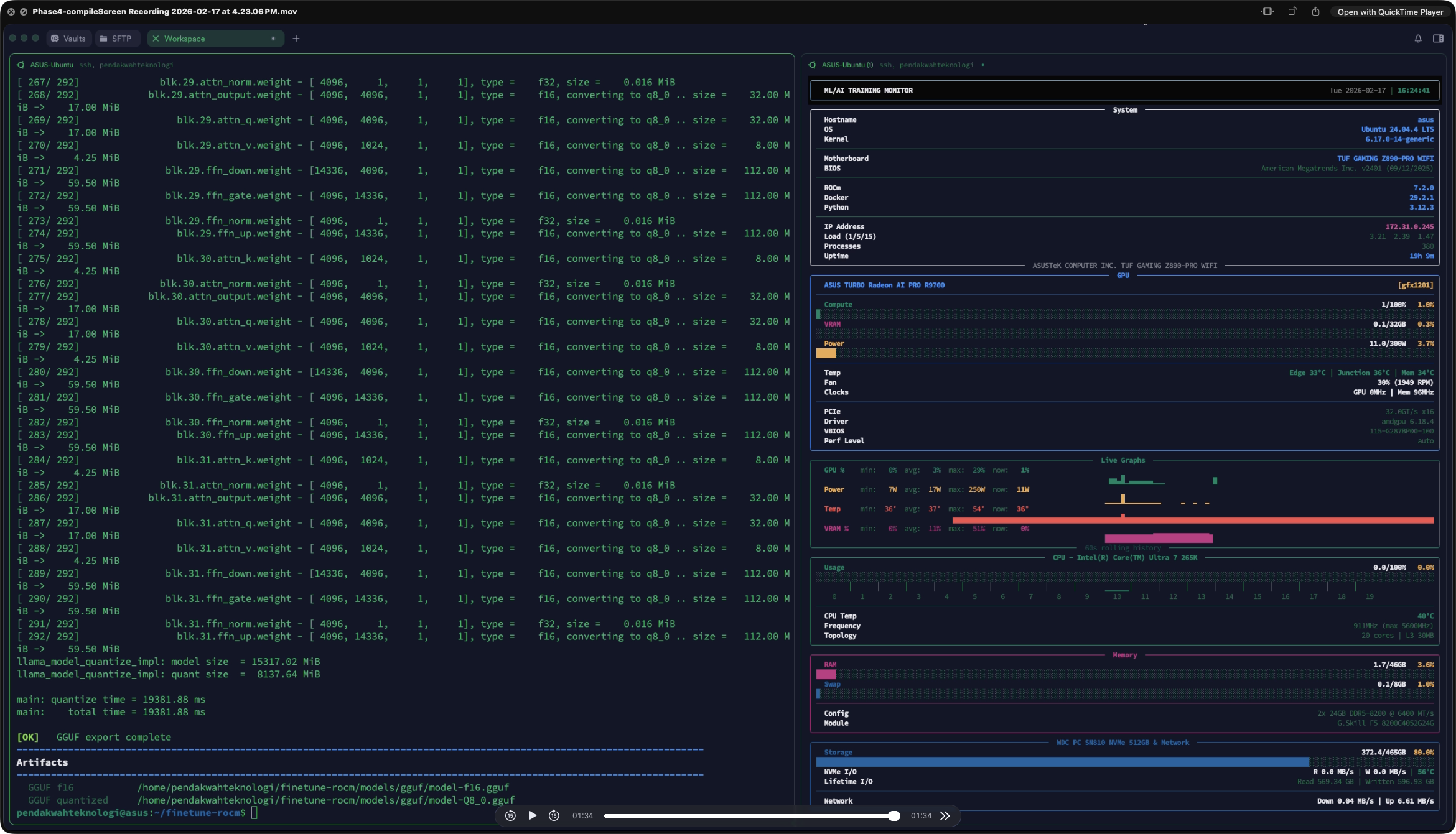
CPUCore Ultra 7 265K · 20C/20T
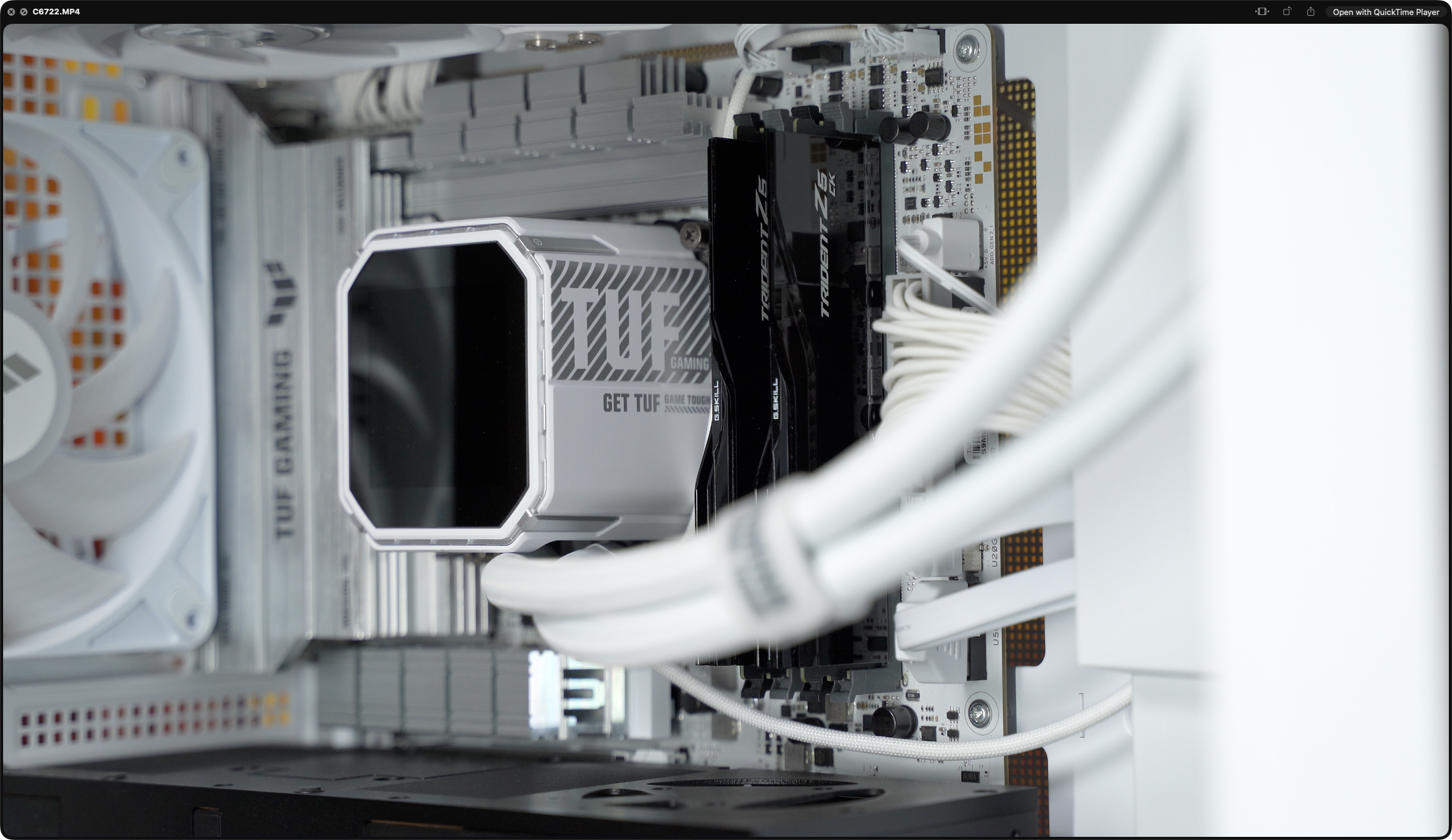
MotherboardASUS TUF Z890-PRO WiFi
RAM48 GB DDR5-8200 (2×24)
StorageWDC SN810 NVMe 512 GB
OS — AI benchUbuntu 24.04.4 · kernel 6.17
OS — Video/GamesWin 11 Pro 26200
Driver (Linux)amdgpu 6.18.4
ROCm7.2.0 · native gfx1201
Inferencellama.cpp HIP · build 8030
PyTorch2.9.1 + ROCm
Driver (Win)Adrenalin 26.1.1
Fine-tune ModelMeta-Llama-3.1-8B-Instruct
Launch PriceUSD 1,299 MSRP
Workload Capability — What this Card Can Actually Do
32B
LLM Size
Runs Qwen2.5-32B Q4 fully on-GPU
30B
Coder
Qwen3 Coder 30B at 113 tok/s TG
4K
Video Gen
WAN 2.2 · LTX-2 with VRAM headroom
8B
LoRA Train
Llama-3.1-8B full fine-tune in 8 min
FP8
Precision
FP8 / FP16 / INT8 native support
×4
Multi-GPU
Blower form allows 4-card setups
Games
Bonus
Steel Nomad Legendary tier · FSR 2
🧠
The R9700 is built around a single clear idea: give AI developers 32 GB of VRAM on a card they can actually afford. It reuses the full Navi 48 XTW die from the RX 9070 XT but doubles memory from 16 GB to 32 GB, adds second-generation AI accelerators, and ships with native ROCm gfx1201 support. The blower cooler and 300 W TBP are built for multi-GPU workstations — up to four cards in a single Threadripper chassis — not open-air gaming rigs.
02 — At a Glance — Peak Performance Numbers
Top-line figures from the full test set. Peak prompt processing and text generation are from llama.cpp HIP with ROCm 7.2 on Ubuntu. The fine-tuning comparison uses identical configuration across R9700 on Ubuntu ROCm and an RTX 5090 on cloud CUDA as reference.
Peak Prompt Processing
8,124
tok/s
Qwen2.5-3B · Q4_K_M · PP512 · llama.cpp HIP · ROCm 7.2
Peak Text Generation
143
tok/s
Qwen2.5-3B · Q4_K_M · TG128 · 40× human reading speed
vs RTX 5090 · Training
91.8%
of CUDA
881 vs 960 tok/s on identical Llama-3.1-8B LoRA run
32B Model TG
26.8
tok/s
Qwen2.5-32B Q4_K_M · fully resident in 32 GB VRAM
3DMark Steel Nomad
6,841
pts
Legendary tier · 68.4 FPS · DX12 raster
03 — LLM Inference — llama.cpp on Ubuntu ROCm
Benchmark methodology: Qwen2.5-Instruct GGUF at four parameter counts (3B · 7B · 14B · 32B) across three quantizations (Q4_K_M · Q5_K_M · Q8_0). Inference backend is llama.cpp HIP build 8030. All layers offloaded to GPU (ngl=99), Flash Attention on, 3 repetitions averaged, context 8192, batch 2048. Prompt processing (PP) measures how fast the GPU ingests the input; text generation (TG) is the speed you actually feel as output.
Prompt Processing — PP 512 · All Models
Tokens per second · higher is better · 512-token input · 3 reps averaged
Text Generation — TG 128 · All Models
Tokens per second · the speed you actually feel · 128-token output
| Model |
Quant |
PP 128 |
PP 256 |
PP 512 |
TG 128 |
Notes |
| Qwen2.5-3B | Q4_K_M | 3,999 | 6,387 | 8,124 | 143.4 | Peak result — baseline |
| Qwen2.5-3B | Q5_K_M | 3,836 | 6,106 | 7,737 | 137.0 | −4.5% vs Q4 |
| Qwen2.5-3B | Q8_0 | 1,325 | 2,264 | 3,041 | 113.0 | −21% TG · bandwidth bound |
| Qwen2.5-7B | Q4_K_M | 2,964 | 3,781 | 4,006 | 103.7 | Sweet-spot model size |
| Qwen2.5-7B | Q5_K_M | 2,798 | 3,585 | 3,040 | 93.3 | −10% vs Q4 |
| Qwen2.5-7B | Q8_0 | 886 | 1,153 | 1,392 | 69.5 | −33% TG |
| Qwen2.5-14B | Q4_K_M | 1,386 | 1,675 | 2,007 | 55.0 | Balanced quality/speed |
| Qwen2.5-14B | Q5_K_M | 1,322 | 1,383 | 1,887 | 49.3 | −10% vs Q4 |
| Qwen2.5-14B | Q8_0 | 387 | 552 | 685 | 36.2 | −34% TG |
| Qwen2.5-32B | Q4_K_M | 633 | 825 | 901 | 26.8 | Fully resident on-GPU |
| Qwen2.5-32B | Q5_K_M | 616 | 781 | 854 | 23.7 | −12% vs Q4 |
| Qwen2.5-32B | Q8_0 | Skipped — ~34.8 GB model exceeds 32 GB VRAM | VRAM-capped |
Q4_K_M is the clear sweet spot on this card. At 8,124 tok/s PP and 143 tok/s TG on 3B models, prompt processing is instantaneous and generation feels roughly 40× faster than you can read. Even the 32B Q4 model still produces 26.8 tok/s — above comfortable reading speed — while fitting entirely in VRAM. The Q8 penalty is real and meaningful: expect 20–34% lower throughput across the board because Q8 moves roughly 2× more bytes per forward pass than Q4.
⚡
ROCm 7.2 on gfx1201 is the story here. Phoronix describes its launch-day R9700 testing experience as "a very smooth experience using ROCm 7.0 with the Radeon AI PRO R9700 graphics cards" and notes that AMD has been making remarkable ROCm improvements over the past year. My own testing with the more recent ROCm 7.2 confirms that — zero config hacks, native gfx1201 support, and stable throughput across every model and quantization tested.
04 — AI Video Generation — ComfyUI
Beyond text, the R9700 was pushed through extended ComfyUI sessions with two video-gen pipelines: WAN 2.2 (both text-to-video and image-to-video, FP8_scaled with 4-step LoRA) and LTX-2 (text-to-video and image-to-video at 121 frames). Video generation is the most VRAM-hungry workload a GPU can face — models like WAN 2.2 need headroom for latent tensors, VAE decode buffers and LoRA weights all in memory at once. The 32 GB of VRAM was the deciding factor.
WAN 2.2 T2V
Resolution640×640
Frames81
Avg Time~130 s
VRAM2.8–3.1 GB
GPU Temp63–64°C
FP8_scaled + 4-steps LoRA · ~100% GPU util
WAN 2.2 I2V
Resolution1280×730
Frames81
Avg Time~700 s
VRAM13.2 GB
GPU Temp~77°C
Heaviest workload · sustained ~100% load
LTX-2 T2V
Resolution1280×720
Frames121
Avg Time~222–280 s
VRAM5.0–6.2 GB
GPU Temp47–57°C
11 videos completed in test batch
LTX-2 I2V
Resolution1280×720
Frames121
Avg Time~270–290 s
VRAM6.0–6.2 GB
Shared Mem0.2 GB
5 videos completed in test batch
▸ WAN 2.2 — ComfyUI Outputs (T2V + I2V)
16 clips · FP8_scaled + 4-steps LoRA · click to play
▸ LTX-2 — Text to Video (1280×720 · 121 frames)
11 clips · ~222–280 s per clip · 5.0–6.2 GB VRAM · 47–57°C
▸ LTX-2 — Image to Video (1280×720 · 121 frames)
5 clips · ~270–290 s per clip · 6.0–6.2 GB VRAM · 0.2 GB shared
32 GB is the magic number for video gen. LTX-2 runs lean at around 6 GB, but WAN 2.2 I2V at 1280×730 pushed dedicated VRAM up to 13.2 GB. On a 16 GB card you'd either fail to load or spill into system RAM with catastrophic slowdown. On the R9700, both models can co-exist in memory simultaneously — meaning batch queues of 10–16 clips without reloading weights. The blower held 77°C under sustained WAN 2.2 — workable, audible, and well within spec.
🎬
The VRAM advantage is the whole point of this card. Workstation builder Velocity Micro puts it bluntly in their own R9700 commentary: "That massive 32GB VRAM buffer is the game-changer here. It's not just about storing more data — it's about enabling high-performance inference and training for increasingly demanding models without offloading to system RAM." That lines up exactly with what I saw here — keeping models fully resident is the difference between usable and unusable for video-gen workflows.
05 — Fine-Tuning — The RTX 5090 Comparison
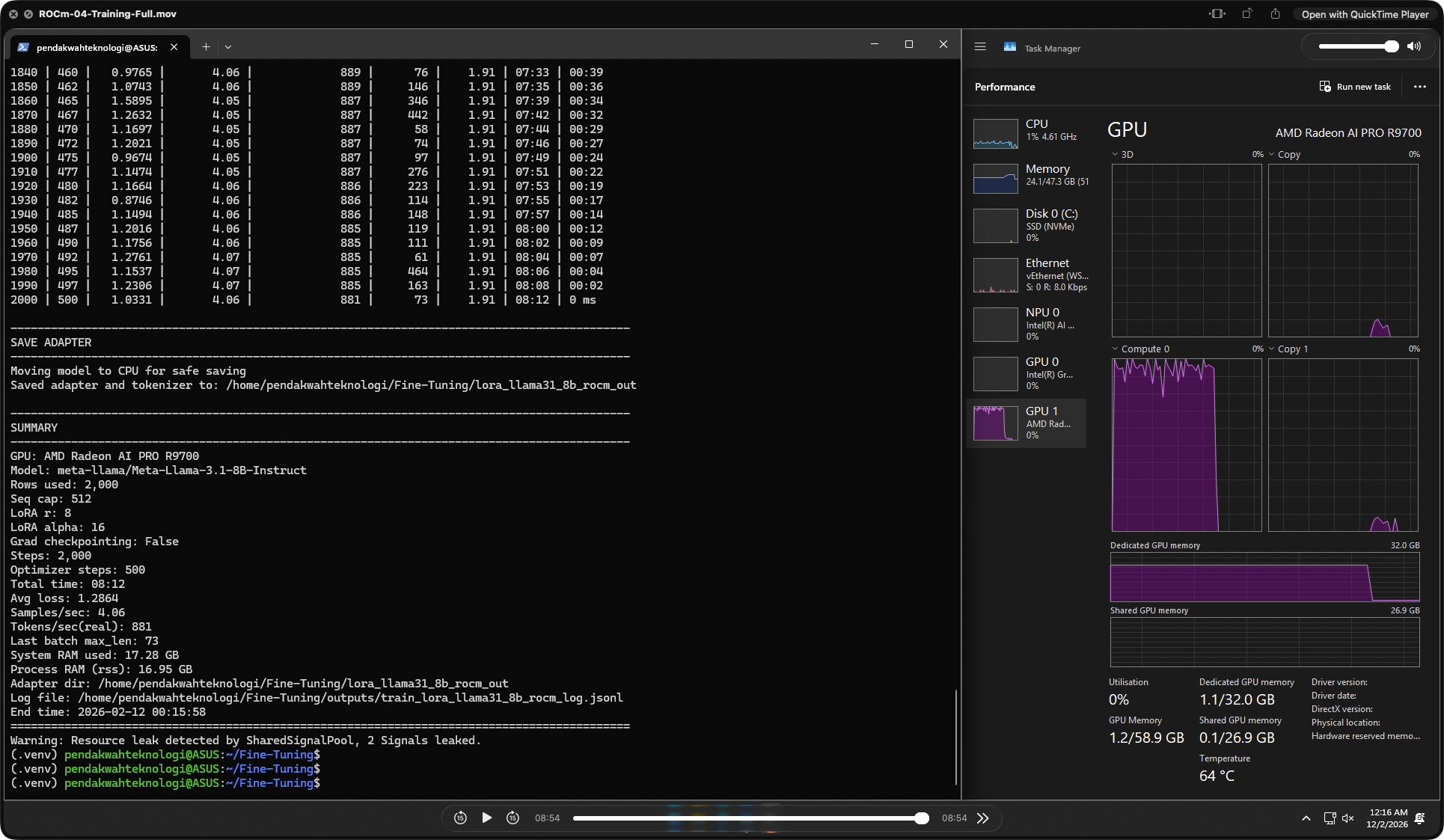
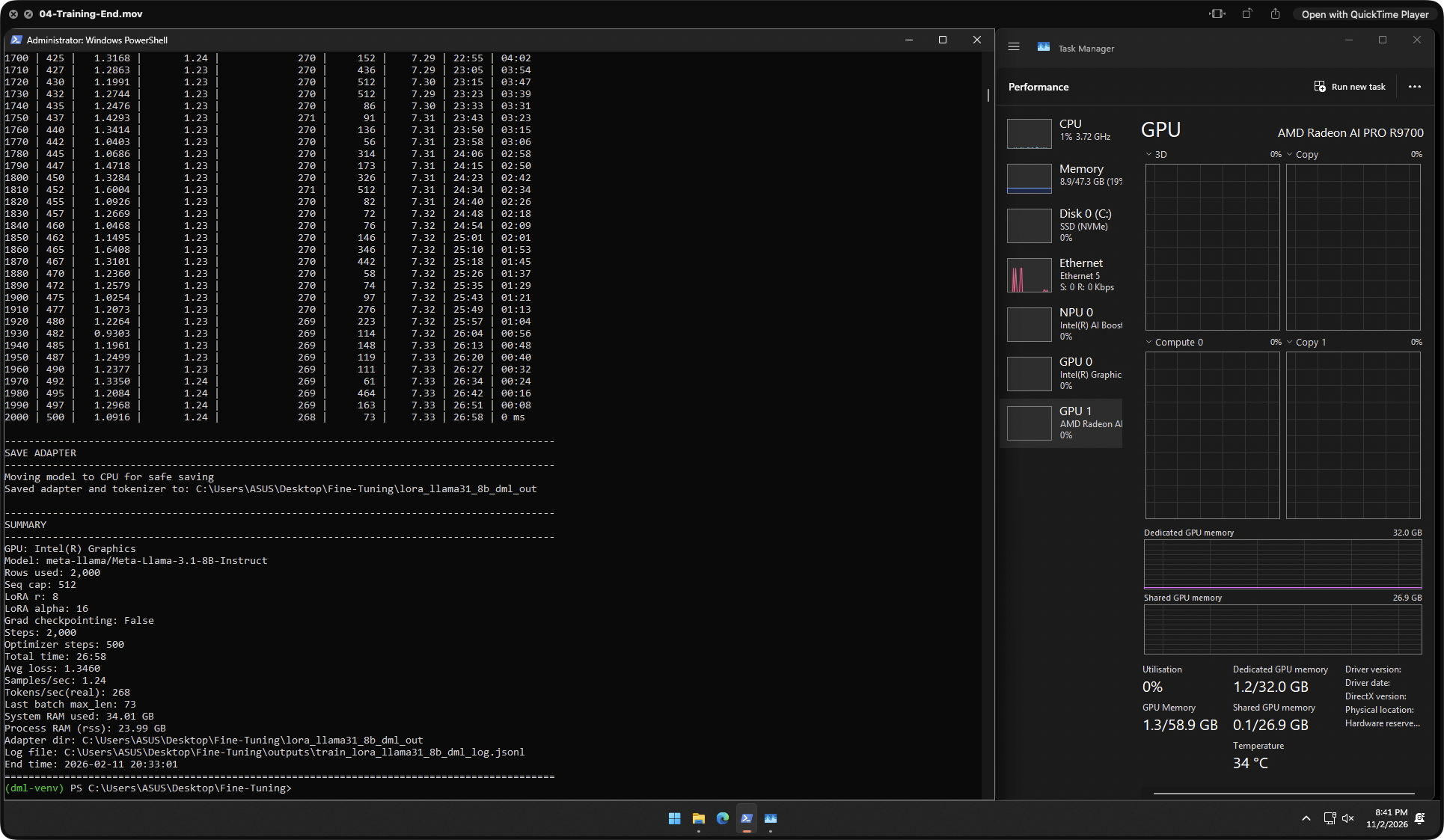
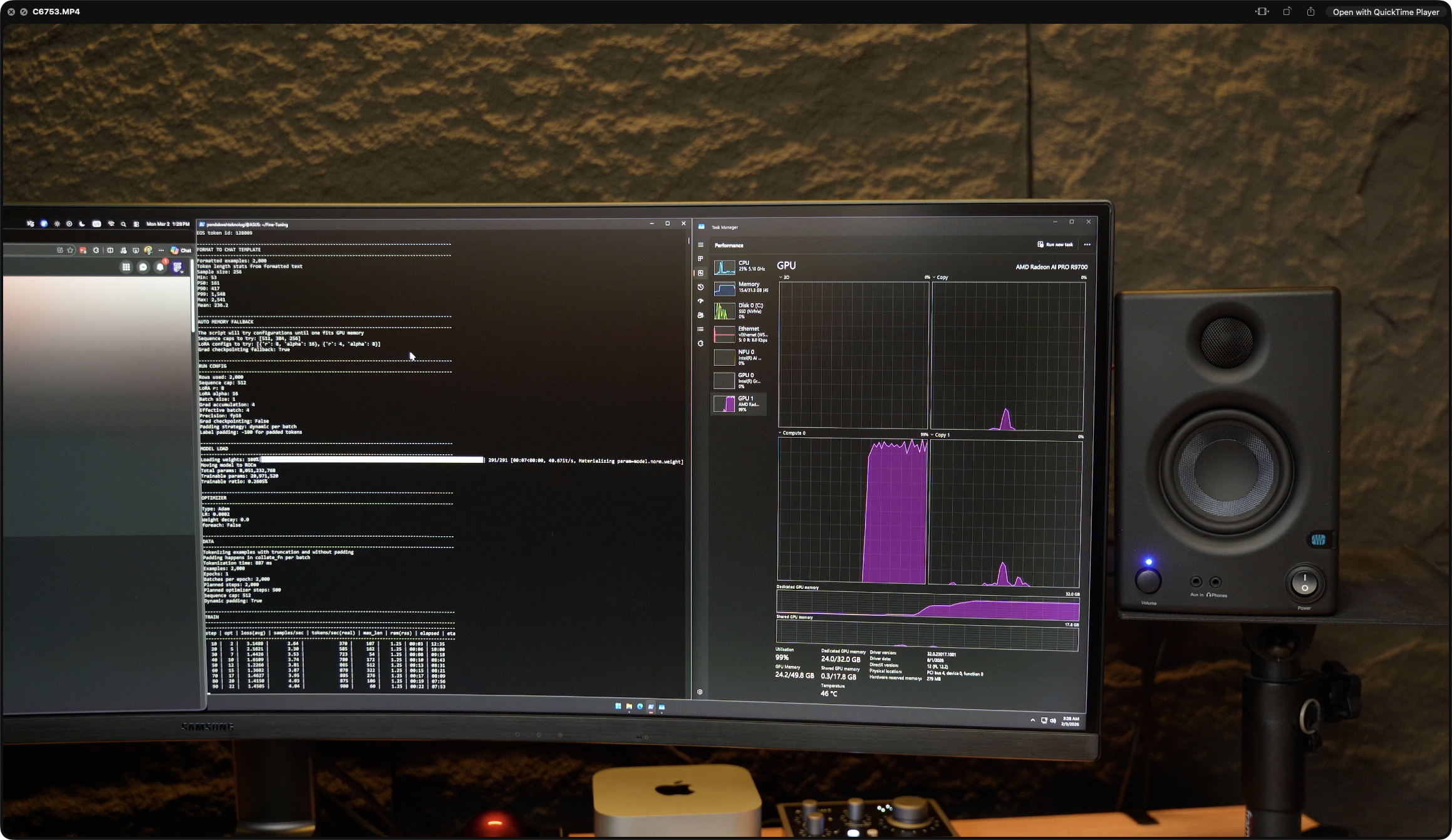
This is the single most important data set in the whole review. I ran identical LoRA fine-tuning jobs — same model, same dataset, same hyperparameters — across four environments: Windows native (DirectML), Ubuntu 24.04 native (ROCm 7.2), WSL2 on Windows (ROCm), and a cloud NVIDIA RTX 5090 (CUDA 12.8) as a reference competitor. Model: Meta-Llama-3.1-8B-Instruct · 2,000 rows · seq cap 512 · LoRA r8 α16 · 2,000 steps · 500 optimizer steps · grad checkpointing off.
Windows DirectML
268
tok/s · 26:58
⚠ Fell back to iGPU — R9700 unused
Ubuntu ROCm 7.2
881
tok/s · 08:12
✓ R9700 fully utilized
WSL2 ROCm
~875
tok/s · ~08:30
✓ Near-native performance
RTX 5090 CUDA 12.8
960
tok/s · 07:32
◆ Cloud reference · 120C / 944 GB server
Training Speed — 4-Way OS Comparison
Llama-3.1-8B LoRA · identical config · tokens/sec · higher is better
Total Training Time — Minutes to 2,000 Steps
Lower is better · DirectML ran entirely on Intel iGPU
| Metric |
Win DirectML |
Ubuntu ROCm |
WSL2 ROCm |
RTX 5090 CUDA |
| GPU Used | Intel iGPU ⚠ | R9700 ✓ | R9700 ✓ | RTX 5090 ✓ |
| VRAM | — | 32 GB GDDR6 | 32 GB GDDR6 | 31.37 GB GDDR7 |
| Backend | DirectML | ROCm 7.2 | ROCm 7.2 | CUDA 12.8 |
| Tokens/sec | 268 | 881 | ~875 | 960 |
| Samples/sec | 1.24 | 4.06 | ~4.05 | 4.42 |
| Total Time | 26:58 | 08:12 | ~08:30 | 07:32 |
| Avg Loss | 1.3460 | 1.2864 | ~1.28 | 1.2864 |
| System RAM | 34.01 GB | 17.28 GB | ~24 GB | 234.52 GB (server) |
| % of RTX 5090 | 27.9% | 91.8% | ~91.1% | 100% (ref) |
| vs DirectML | 1.00× | 3.29× | ~3.26× | 3.58× |
▸ Live Training Runs — OS Comparison Screenshots
4 captures · Llama-3.1-8B LoRA · click to expand
R9700 ROCm = 91.8% of RTX 5090 CUDA on an identical Llama-3.1-8B LoRA fine-tune. Training time was 8:12 vs 7:32 — a 40-second gap over a 2,000-step run. The RTX 5090 ran on a cloud Linux server with 120 CPU cores and 944 GB system RAM, a datacenter-class environment. The R9700 hit 91.8% of that on a consumer desktop at roughly half the cost. This is where AMD's "ROCm is finally real" claim meets reality.
⚠️
Windows DirectML fine-tuning fell back to the Intel iGPU. The R9700 was completely unused during the Windows fine-tune run — 268 tok/s is iGPU performance, not R9700 performance. WSL2 + ROCm, by contrast, delivered ~875 tok/s, essentially matching native Ubuntu without a dual-boot. If you're on Windows and serious about fine-tuning on this card, WSL2 is the answer, not DirectML.
06 — Ollama on Windows — The "Just Works" Path
Not everyone runs Ubuntu. I tested the R9700 on Windows via Ollama with DirectML — the easiest consumer-facing AI inference setup — across six models from 8B to 30B parameters, 3 runs each, with a complex long-form coding prompt. This is the path that matters if you just want to install Ollama and go.
Ollama Windows — TG Speed Across Models
DirectML backend · 3 runs averaged · tokens/sec
Coding Models — Qwen3 Coder 30B vs DeepSeek V2 Lite
PP and TG on a real restaurant web app coding task
| Model |
PP (tok/s) |
TG (tok/s) |
VRAM Used |
GPU Temp |
Avg Run Time |
| llama3.1:8b | ~2,900 | 168 | 22.1 GB | 50°C | 18.4 s |
| gpt-oss-20b | ~1,750 | 118 | 16.8 GB | 49°C | 42.4 s |
| ollama-gpt-oss-20b | 1,197 | 120 | 15.0 GB | 40°C | 21.2 s |
| phi4:14b | ~3,600 | 84 | 12.9 GB | 49°C | 28.0 s |
| gemma3:27b | ~279 | 28.7 | 28.7 GB | 63°C | 103.5 s |
| glm-4.7-flash (Q4) | ~2,690 | 49.3 | 31.0 GB | 43°C | 118.3 s |
| glm-4.7-flash (Q8_0) | ~1,460 | 19.4 | 30.8 GB | 31°C | 251.8 s |
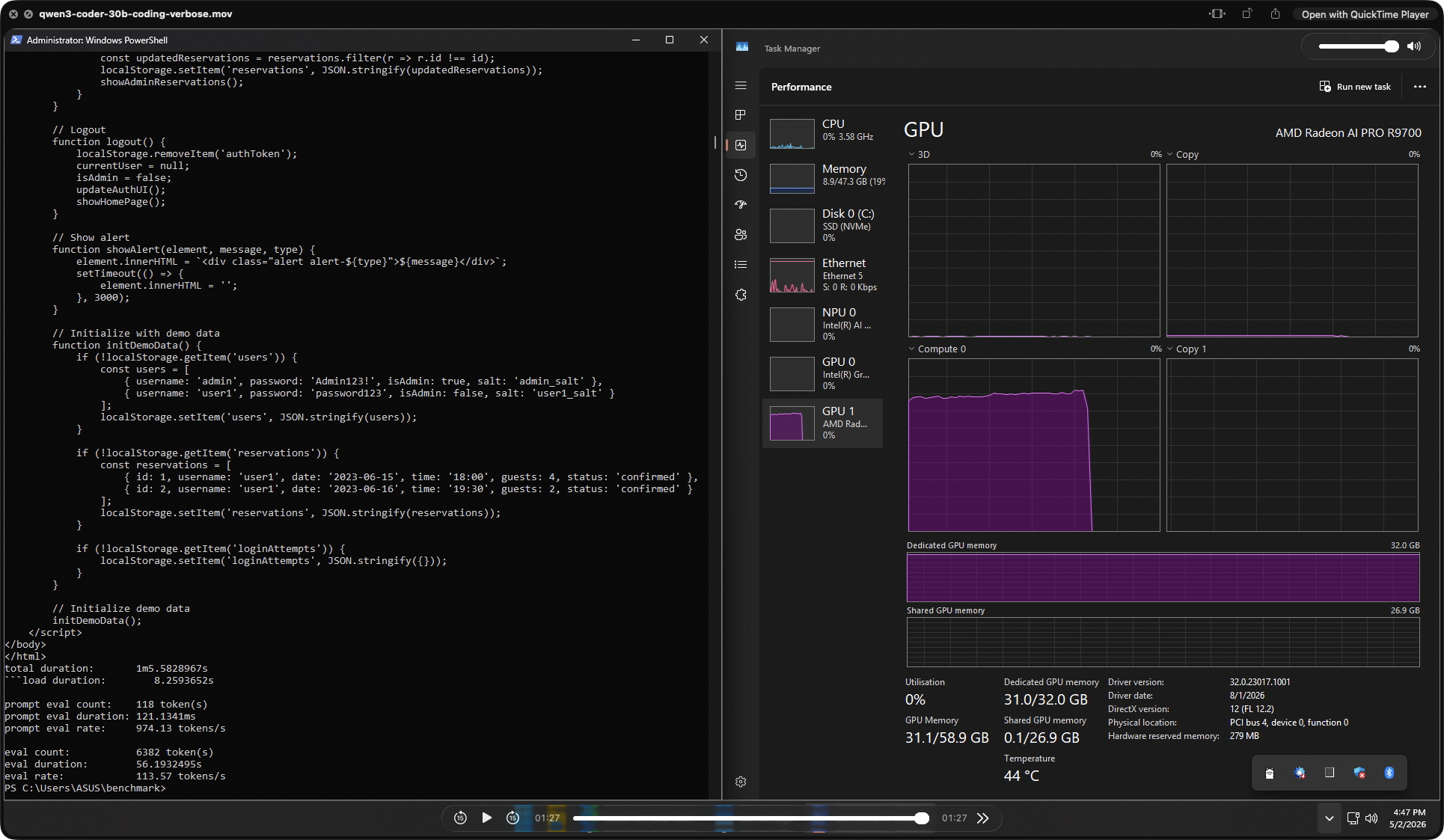
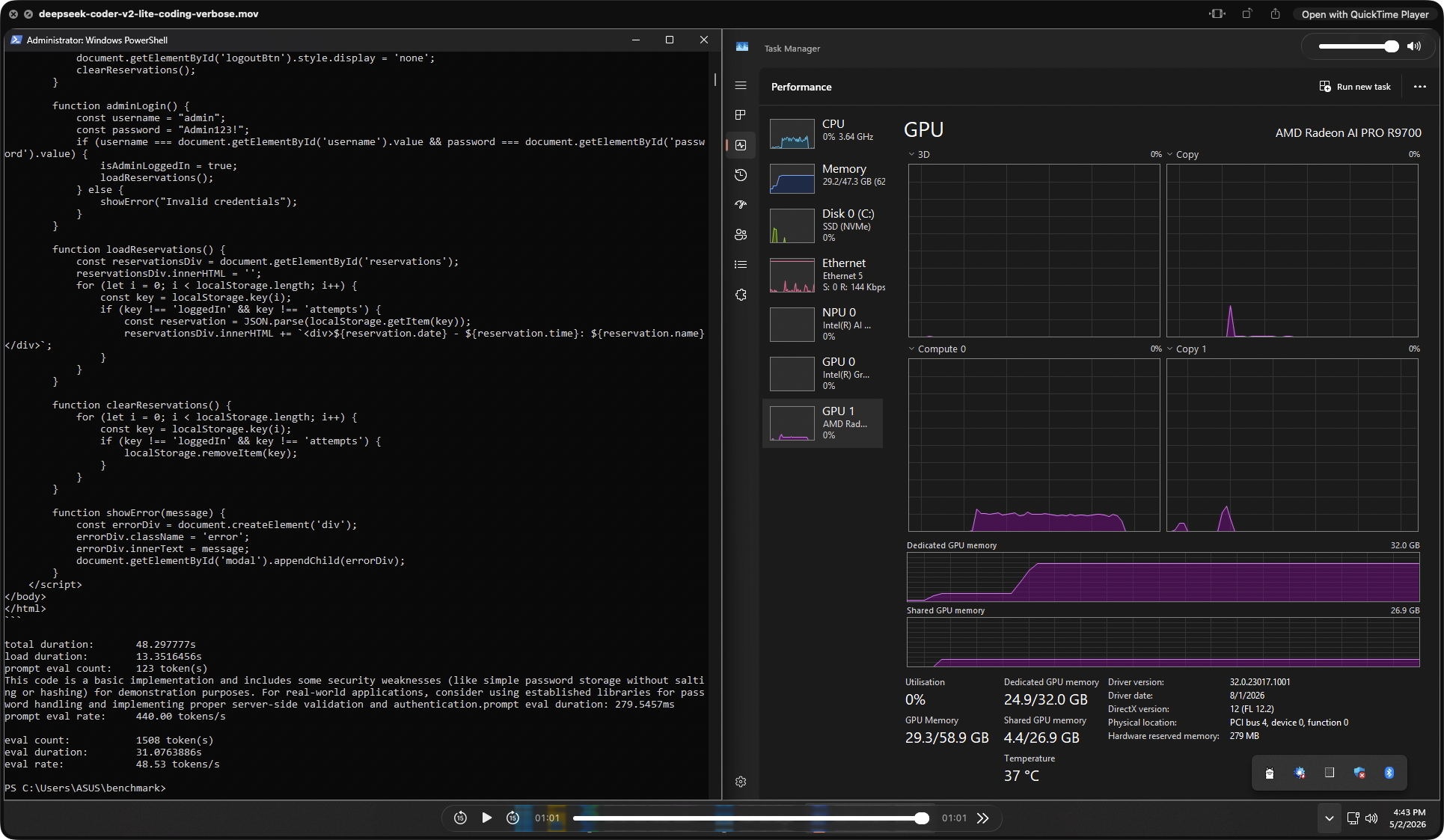
| Qwen3 Coder 30B | 974 | 113.6 | 31.0 GB | 44°C | 65.8 s · 6,382 tok out |
| DeepSeek Coder V2 Lite | 440 | 48.5 | 24.9 GB | 37°C | 48.3 s · 1,508 tok out |
▸ Coding Benchmark — Live Generation Screenshots
2 captures · Restaurant reservation web app · click to expand
The headline result here is Qwen3 Coder 30B. A 30 B coding model generating 6,382 tokens of working JavaScript and HTML at 113.6 tok/s — fully resident in 31 GB VRAM — is a remarkable result on a single consumer-accessible card. The full restaurant reservation app (admin login, session handling, rate limiting, localStorage) was produced in under 66 seconds. On a 16 GB card this model would either be quantized harder or spill to system RAM. On the R9700, it ran at full native speed.
💾
Every tested model ran fully GPU-resident — zero system RAM spillover. GLM-4.7-flash Q8_0 loaded 30.8 GB of dedicated VRAM and still ran at 19.4 tok/s. Gemma3:27b used 28.7 GB. No other consumer or prosumer GPU in this price bracket can run 27–30B parameter models fully on-GPU — that is the entire point of the 32 GB frame buffer, and in practice it just works.
07 — 3DMark & Gaming Performance
The R9700 is an AI-focused card, but it's built on the full Navi 48 die — the same silicon as the gaming RX 9070 XT — so rasterization is genuinely strong. I ran 3DMark Steel Nomad (DX12 raster), Speed Way (DX12 ray tracing), the FSR 2 feature test, and the CPU Profile. All tests hit the Legendary tier on both graphics workloads.
3DMark Steel Nomad
6,841
pts
DX12 raster · 68.42 FPS · Legendary
3DMark Speed Way
6,103
pts
DX12 RT · 61.04 FPS · Legendary
FSR 2 Boost
+66.6%
FPS gain
86.63 → 144.33 FPS
Superposition 1080p Med
36,929
pts · 276 FPS
Unigine Engine 2 · DirectX
CPU Profile (Max Th.)
17,184
pts
Core Ultra 7 265K · 5,497 MHz boost
3DMark GPU Scores — Raster vs Ray Tracing
Legendary tier in both workloads · DX12
FSR 2 Feature Test — OFF vs ON
Same scene · upscaled · raw FPS
| Test |
Score / Result |
Avg FPS |
GPU Boost |
Mem Clock |
Notes |
| Steel Nomad | 6,841 pts | 68.42 | 2,652 MHz | 2,505 MHz | DX12 raster · Legendary tier |
| Speed Way | 6,103 pts | 61.04 | 2,759 MHz | 2,505 MHz | DX12 + ray tracing · Legendary |
| FSR 2 OFF | 86.63 FPS | — | 2,806 MHz | 2,505 MHz | Native resolution baseline |
| FSR 2 ON | 144.33 FPS | +66.6% | 2,806 MHz | 2,505 MHz | Real-world upscaling gain |
| Superposition 1080p Med | 36,929 pts | 276.21 | — | — | Min 168.8 · Max 406.3 FPS |
| FurMark GL 1080p | 19,441 pts | 322 | 2,230–2,287 MHz | 2,505 MHz | 7m 39s sustained · no throttle |
🎮
Legendary tier in both raster and ray-tracing 3DMark runs — this is a genuinely capable gaming GPU hiding inside a workstation card. The +66.6% FSR 2 uplift takes a game from 86 to 144+ FPS, enough to clear 120/144 Hz thresholds. That said, gaming is a bonus here, not the mission — the blower cooler, 300 W TBP and workstation pricing are all pointed at AI workloads.
08 — Thermals, Power & Stability
The blower cooler is the most polarising part of the package. It's the right design for dense rack and multi-GPU workstation use — heat exhausts out the back of the chassis rather than dumping into the case — but it's audible and it pushes hotspot temperatures higher than a triple-fan open-air cooler would. FurMark GL 1080p was used for sustained stress (7m 39s), OCCT Personal for system-level stability, and idle values taken from AMD Software.
FurMark GL — Sustained Load
7m 39s · 1080p · 60,000 ms · no throttle observed
VRAM Temp91°C
GPU Usage97–100%
Fan Speed3,756–3,788 RPM (67–68%)
Core Clock2,230–2,287 MHz
Power Draw300 W sustained
Avg FPS322 · 2.98 ms frametime
ThrottlingNone observed
Idle & OCCT Stability
System-level validation · no errors detected
GPU Idle Temp37–41°C
GPU Idle Power17–18 W
GPU Core Voltage0.099–0.121 V
CPU Idle Temp50–51°C
CPU Package Pwr20–24 W
+12 V Rail12.000 V stable
+5 V Rail5.000 V stable
3VCC Rail3.328 V stable
Thermal Across Workloads
How the blower behaves by load type
Idle / Light
37–41°C
Very quiet idle · fan ramps smoothly
LTX-2 Video Gen
47–57°C
Lean VRAM use keeps thermals low
WAN 2.2 I2V 1280p
~77°C
Heaviest sustained AI load · audible
FurMark GL (torture)
99°C hotspot
Within AMD spec · no throttling
External thermal numbers line up with what you'd expect from a blower RDNA 4 design. gamegpu.com's summary of Phoronix's Linux testing reports that under ROCm workloads the R9700 averaged 60.35°C versus 75.32°C on the RTX 6000 Ada and 73.25°C on the W7900 — the R9700 ran noticeably cooler than either of those more expensive competitors in the same review. My own FurMark hotspot of 99°C is a torture-test figure, not a sustained-AI figure; in actual inference and fine-tune runs the card stayed in the 50–77°C band across all workloads tested.Source: gamegpu.com — First Radeon AI PRO R9700 benchmarks
🌡️
The 99°C hotspot under FurMark looks alarming but isn't. The junction/hotspot reading is the highest single point on the die — not the package temperature — and it sits well within AMD's RDNA 4 operating limits. The package held 76°C and VRAM peaked at 91°C, both comfortably safe. No clock throttling was observed across the entire 7m 39s run — core held 2,230–2,287 MHz throughout. The blower is audible under full load but does its job.
09 — Market Context & Value
This is where the R9700 stops being interesting and starts being compelling. The RDNA 4 die is the same silicon as the RX 9070 XT — a $599 gaming card — but doubled to 32 GB of VRAM, re-tuned for AI, and given first-class ROCm support. At USD 1,299 MSRP it's priced against NVIDIA's much more expensive workstation tier, and independent benchmarks from multiple outlets all tell roughly the same story: in AI workloads, this card punches well above its cost.
Price vs Competition
All USD · launch / retail pricing
R9700 32 GB$1,299
RTX PRO 4000 Blackwell$2,499
RTX 6000 Ada~$6,800
Radeon PRO W7900$3,999 launch
Radeon PRO W7800 (32G)$2,499 launch
RX 9070 XT (same die)$599 (16 GB)
GB/s per $0.50 GB/s per USD
VRAM per $24.6 MB per USD
Independent AI Benchmarks
Third-party numbers · cross-referenced
FP16 Peak95.7 TFLOPS
INT4 Sparse1,531 TOPS
vs W7800 (AMD)~2× DeepSeek R1 8B
vs W7900 (Phoronix)+47% vLLM
2× R9700 vLLMBeats RTX 6000 Ada
vs RTX 5080 (AMD)Up to 5× on large LLMs
vs RTX 5090 (mine)91.8% LoRA training
Avg Power (Phoronix)~190 W vs 223 W (6000 Ada)
Who is this card for?
Target workloads in 2026
✓ Ideal for
Local LLM dev
Running 27–32B models on-device with no cloud dependency
✓ Ideal for
LoRA fine-tuning
91.8% of RTX 5090 training speed at a fraction of the price
○ Works, not ideal
Gaming-primary
Gets Legendary 3DMark scores, but the RX 9070 XT costs less
✗ Avoid if
Windows-only devs
DirectML fine-tuning path is broken — WSL2 mandatory
Phoronix's launch-day analysis summarises the value story well. They note that pricing is extremely competitive against the RTX PRO 4000 Blackwell and the Radeon PRO W7900, with the W7900 launching at $3,999 and still retailing around $3.6k, while the R9700 comes in at just $1,299. On their own vLLM testing, a dual R9700 configuration matched or slightly exceeded a single RTX 6000 Ada at roughly half the price — and at an average of 190 W versus 223 W for the 6000 Ada.Source: Phoronix — AMD Radeon AI PRO R9700 Linux Performance Review
Tom's Hardware notes in their launch coverage that AMD rates the card at 96 TFLOPS FP16 and 1,531 TOPS INT4, with AMD's own comparison claiming up to 2× performance over the Radeon PRO W7800 on DeepSeek R1 Distill Llama 8B and as much as 5× on the GeForce RTX 5080 in several large models. These are vendor figures and should be read as such, but my own llama.cpp results put the R9700 firmly in the upper tier for prosumer AI inference.Source: Tom's Hardware — AMD launches Radeon AI PRO R9700
💰
The R9700 is the best VRAM-per-dollar on the AI prosumer market in April 2026. No consumer GPU under $1,500 offers 32 GB of first-class memory with native ROCm support for fine-tuning. A dual-card setup matches an RTX 6000 Ada at roughly half the price. If your bottleneck is VRAM capacity — local LLM inference, fine-tuning, video generation — this card is the most compelling value in its class right now.
10 — Final Verdict
The ASUS Turbo Radeon AI PRO R9700 is the GPU that finally makes AMD's AI ambitions believable. RDNA 4 delivers — gfx1201 gets proper ROCm 7.2 support out of the box, fine-tuning parity with NVIDIA's flagship is within 10%, and 32 GB of GDDR6 puts it in a class of its own for prosumer AI work under $1,500. The problem is not the hardware. The problem is platform polish — specifically on Windows.
Strengths
Outstanding AI throughput and the best VRAM-per-dollar in its class. ROCm 7.2 works out of the box on gfx1201. Fine-tuning parity with RTX 5090 is within 10% on Ubuntu. 32 GB of GDDR6 runs 32B-parameter models fully on-GPU. 3DMark gaming numbers hit Legendary tier as a bonus.
- R9700 ROCm = 91.8% of RTX 5090 CUDA on identical LoRA fine-tune
- Ubuntu ROCm 3.29× faster than Windows DirectML for fine-tuning
- WSL2 + ROCm matches native Ubuntu — no dual-boot needed
- 8,124 tok/s PP on 3B Q4 — best-in-class prompt throughput
- 143 tok/s TG on 3B Q4 — instant response feel
- 26.8 tok/s on 32B Q4 — usable for production inference
- Qwen3 Coder 30B at 113 tok/s TG · 6,382 token output in 66 s
- 168 tok/s on llama3.1:8b via Ollama Windows — works out of box
- Runs 27–30B models fully GPU-resident (Gemma3, GLM-4.7)
- 644 GB/s bandwidth · 128 AI accelerators · native FP8/INT8
- 3DMark Steel Nomad 6,841 · Speed Way 6,103 — both Legendary
- FSR 2 delivers +66.6% FPS boost (86 → 144 FPS)
- Full ComfyUI video gen — WAN 2.2 and LTX-2 with headroom
- $1,299 MSRP vs $2,499 RTX PRO 4000 and $3,999 W7900 launch
- Blower cooler suits 4-card multi-GPU workstation builds
Considerations
The Windows-first user experience still needs work. The hardware is fine; the software path on Windows is where things get rough, and the blower cooler is a deliberate trade-off that not everyone will want.
- DirectML fine-tuning fell back to Intel iGPU — R9700 unused
- Q8_0 quantization carries a steep 20–34% throughput penalty
- 32B Q8_0 (~34.8 GB) exceeds 32 GB VRAM — Q4/Q5 only
- WAN 2.2 I2V at 1280p pushes sustained temps to 77°C
- FurMark hotspot hits 99°C (within spec but looks alarming)
- Blower cooler is audible under sustained full load
- WSL2 is mandatory for serious fine-tuning on Windows
- No ray-tracing focus — gaming is a bonus, not a mission
- ROCm ecosystem still lags CUDA on some frameworks
- Same die as RX 9070 XT — you're paying $700 for 16 GB more VRAM
- Premium price vs equivalent gaming-tier silicon
Final Conclusion — 9.1 / 10
The fairest conclusion is this: the R9700 is the most compelling consumer-accessible AI training and inference GPU you can buy in April 2026, and it is priced to match.
For anyone running local LLMs, doing LoRA fine-tuning, or generating AI video, the 32 GB frame buffer alone justifies the cost for serious workloads, and ROCm 7.2 support is finally first-class. Hitting 91.8% of RTX 5090 CUDA performance on identical fine-tuning workloads on a consumer desktop — versus NVIDIA's flagship on a 120-core datacenter server — is a remarkable result that reframes the whole AMD-vs-NVIDIA AI conversation. If you use Windows only and won't touch WSL2, buy something else. If you're on Linux or willing to run WSL2, this is the most exciting prosumer AI GPU released in years.
11 — External Sources & References
All internal test data was measured by Pendakwah Teknologi on the test bench described in Section 01. Where third-party figures, specifications, claims, or quotes are cited in this review, they are linked below. Vendor claims (AMD, ASUS) are clearly identified as such.
Cited & Referenced
- ASUS product page — ASUS Turbo Radeon AI PRO R9700 32G official specs, clock speeds, and feature claims. asus.com
- Phoronix (launch-day review) — independent Linux and ROCm 7.0 benchmarking, dual-GPU vLLM performance, power and thermal comparisons against the Radeon PRO W7900 and RTX 6000 Ada. phoronix.com
- Tom's Hardware — launch analysis, AMD's vendor performance claims for DeepSeek R1 Distill Llama 8B (2× W7800) and GeForce RTX 5080 (up to 5×), and pricing context. tomshardware.com
- TechPowerUp GPU database — Navi 48 XTW die specifications, transistor count (53.9 B), die size (357 mm²), TSMC N4P process node, and launch date. techpowerup.com
- VideoCardz — availability history, DIY shipping, 12V-2×6 power connector detail, and confirmation that the R9700 uses the same full Navi 48 die as the RX 9070 XT. videocardz.com
- gamegpu.com — summary of Phoronix's thermal and power comparison, average 60.35°C for R9700 vs 75.32°C for RTX 6000 Ada and 73.25°C for W7900. gamegpu.com
- Velocity Micro blog — workstation integrator commentary on 32 GB VRAM as the game-changing feature for local AI workloads. velocitymicro.com
- TweakTown — launch pricing context and early DIY availability. tweaktown.com
- Laatansa Imroni — independent Vulkan/ROCm testing — corroborating llama.cpp results on Qwen3 MoE 30B with Vulkan and RADV drivers. laatansaimroni.com